Location :
Orlando, FL, USA
Location :
Orlando, FL, USA +1 (407) 714-1616
 info@biz4group.com













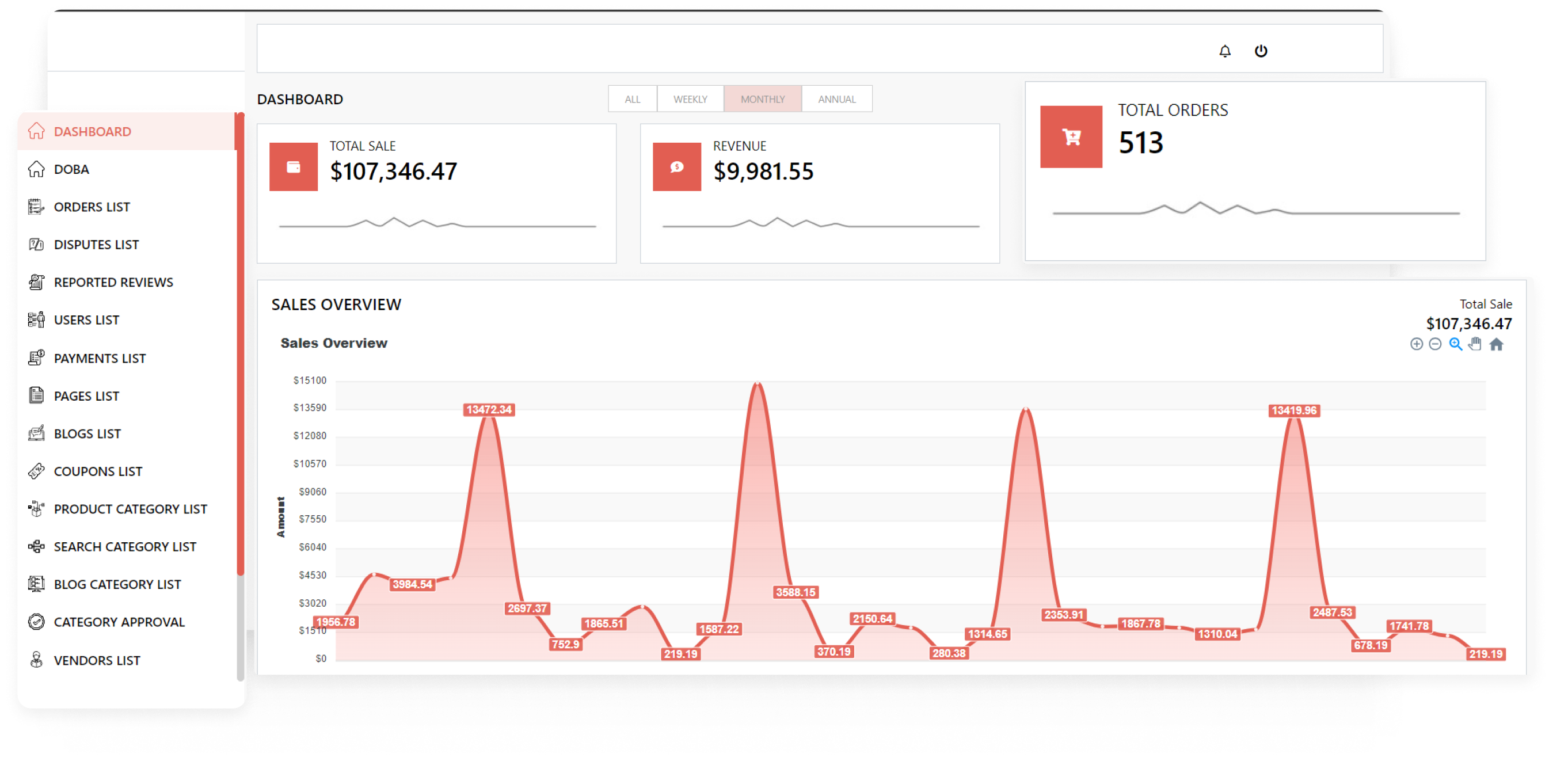



Imagine a digital system that doesn’t wait for instructions but instead, understands your business goals, learns from real-time feedback, and takes independent actions to get the job done.
Read More
If automation technology has advanced so much, why do businesses still rely on employees to handle repetitive workflows manually?
The problem is not the lack of technology. Most businesses are still operating with disconnected systems that force employees to manage repetitive tasks, approvals, reporting, and cross platform updates manually.
This is why business leaders are often asks, "How should a small business with limited technology budget approach AI driven business process automation software development to maximize automation impact within budget constraints and which manual workflows should be prioritized for automation first to deliver the fastest return on investment?"
The reality is that successful AI business process automation software development is not about automating everything. It is about automating the right workflows first, because prioritization determines how quickly businesses see measurable ROI.
However, the shift is happening fast... reports show businesses redesigning workflows are already seeing gains. According to the OpenAI Enterprise AI Report 2025, employees using AI tools are already saving an average of 40 to 60 minutes per day on operational work, while heavy users report productivity gains of more than 10 hours per week.
At the same time, the McKinsey State of AI 2025 Report found that organizations seeing the highest ROI from AI are not simply adopting AI tools, but redesigning workflows and operational models around AI-driven processes. The report also noted that generative AI adoption increased from 33% to 71%, showing how rapidly enterprises are integrating AI into core business operations.
This shift is helping businesses move beyond basic automation and rethink how operations actually run. To understand why modern automation is transforming business operations, it’s important to first look at how AI business process automation software development differs from traditional rule-based workflows.
AI-driven business process automation development helps businesses automate workflows using artificial intelligence instead of relying only on fixed rules and manual coordination. The goal is simple: reduce repetitive work, improve operational speed, and make business processes run more efficiently across connected systems while building AI business process automation software.
Modern AI business process automation software development helps organizations:
For example, instead of employees manually reviewing emails, copying information between systems, forwarding approvals, and updating CRMs, an AI driven process automation system can handle large parts of the process automatically.
That is where AI-powered business process automation software development becomes valuable. It helps businesses manage workflows more intelligently while improving operational coordination across teams and systems.
|
Area of Comparison |
Traditional Workflow Automation |
AI-Driven Workflow Automation |
|---|---|---|
|
How workflows operate |
Workflows follow predefined rules and fixed logic |
Workflows adapt based on data, context, and changing inputs |
|
Type of data supported |
Primarily works with structured data and standard formats |
Can process both structured and unstructured data like emails, documents, and chat messages |
|
Handling unexpected situations |
Requires human intervention when exceptions occur |
Can identify patterns and respond to many exceptions automatically |
|
Decision-making capability |
Executes only rule-based actions |
Supports intelligent decision-making using AI models |
|
Workflow flexibility |
Difficult to modify as processes become more complex |
More flexible and scalable across connected systems |
|
Level of automation |
Automates repetitive tasks only |
Automates tasks, workflows, and operational coordination |
|
Business impact |
Improves efficiency for fixed processes |
Improves efficiency, scalability, and operational responsiveness |
As operations become more complex and businesses manage larger volumes of data across multiple systems, enterprise AI process automation software development is becoming increasingly important across industries.
To understand its real business impact, it’s important to explore where AI-driven automation is already transforming day-to-day operations.
Disconnected systems and repetitive approvals slow operations faster than most businesses realize.
Contact Biz4GroupUnderstanding the concept of AI business process automation software development is only the beginning. The more important question for most businesses is how AI-driven automation actually fits into day-to-day operations and which workflows create the highest automation impact.
Here’s how different industries are using AI driven process automation system development in real business environments.
Healthcare workflows are often more complex than they look, with a lot of back-and-forth between patients, staff, and systems. This usually leads to a heavy administrative load for teams. To reduce administrative workload and improve patient operations healthcare organizations use AI automation .
How AI automation is being used:
This can be better understood through the Dr. Truman automation platform. Dr. Truman is a personalized AI Avatar, it offers personalized health guidance and support by reducing manual effort and handling user interactions in a more structured and automated way.
Instead of relying on fragmented user interactions and manual coordination, the platform introduced AI-Avatar to simplify wellness engagement and health management workflows.
What the platform automates
Impact
Finance teams deal with continuous data handling, reporting, approvals, and client documentation. These tasks often require multiple checks and coordination between systems. To do these tasks efficiently financial institutions use AI automation to process large volumes of financial data and support compliance-heavy workflows.
How AI automation is being used:
Worth Advisors is a platform that simplifies how clients share financial information and how advisors turn that data into structured financial planning reports.
Key Features at a Glance
Impact
Worth Advisors streamlined financial planning by reducing manual coordination, improving data accuracy, and making it easier for advisors to create structured, client-specific reports efficiently. This project is an answer to how to build AI driven process automation that solves the copy paste problem destroying productivity in finance and operations teams.
E-Commerce and retail operations development involve product management, order processing, customer communication, and logistics coordination. These tasks are repetitive and happen at high volume every day. To make whole process compliant, Retail businesses use AI powered business process automation development to manage customer operations and backend processes at scale.
How AI automation is being used:
Subciety is built by Biz4group as a modern eCommerce marketplace designed to improve how customers shop and how sellers manage and grow their businesses through a subscription-driven model.
The idea was to go beyond traditional product browsing and create a platform that also supports flexible subscription management, better vendor visibility, and more structured business growth for SMEs.
The platform allows users to explore products, compare options, and access deals while giving sellers a way to manage subscriptions, track performance, and scale their offerings based on selected plans. It also connects seamlessly with popular eCommerce ecosystems, making it easier for vendors to operate across multiple storefronts.
Key Features at a Glance
Impact
Subciety helps SMEs and vendors improve visibility, streamline subscription-based operations, and manage their business more efficiently through a centralized marketplace system.
Manufacturing maintenance and operations involve constant tracking, scheduling, and compliance checks across systems. These tasks require high accuracy and continuous monitoring. Therefore, Manufacturers use AI automation to improve production visibility and reduce operational delays.
How AI automation is being used:
We built AMxTD as an AI driven digital process automation maintenance platform for private jet owners to help them track, manage, and stay ahead of aircraft maintenance needs in a more organized way.
The goal was to give owners and operators a single system to monitor maintenance activity, reduce manual tracking, and improve overall operational reliability.
The platform helps users maintain complete aircraft records, schedule upcoming maintenance, and get real-time alerts for required inspections or potential issues. It also provides easy remote access to all maintenance data from anywhere.
Key Features at a Glance
Impact
AMxTD helps private aircraft owners improve maintenance visibility, reduce operational risks, and ensure aircraft readiness through timely tracking and proactive maintenance management.
Logistics and supply chain operations involve constant tracking, coordination, and updates across shipments, warehouses, and vendors. This creates a lot of manual dependency across systems and teams. AI automation helps logistics and supply chain companies improve speed, accuracy, and visibility across supply chain operations.
How AI automation is being used:
Biz4Group built a dedicated boat maintenance platform to help boat owners easily track servicing needs, manage maintenance schedules, and avoid unexpected repair issues.
The goal was to simplify how users monitor engine health and maintenance cycles across different boat types and usage patterns.
Key Features at a Glance
Impact
The platform helps boat owners stay ahead of maintenance needs, reduce unexpected breakdowns, and improve overall vessel performance through timely and structured service management.
Human resources and recruitment teams handle a constant flow of resumes, interviews, onboarding tasks, and employee requests. This creates a lot of repetitive coordination across tools and stakeholders. AI automation helps simplify these processes and reduces day-to-day manual effort.
HR teams use AI automation to simplify employee management and reduce repetitive administrative tasks.
How AI automation is being used:
AI-Driven HR Operations Platform for Employee Lifecycle Management by Biz4group
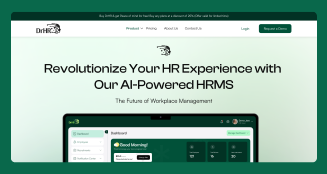
Stratum 9 InnerView is a intelligent business process automation platform that uses AI-driven automation to simplify and manage core HR operations in one system. It automates key HR workflows like recruitment, onboarding, employee records, and internal requests through a unified platform.
The goal was to reduce manual effort in screening, scheduling, and candidate assessment while keeping final hiring decisions with recruiters.
Key Features at a Glance
Impact
The platform reduces manual HR effort, speeds up hiring and onboarding, and makes HR operations more structured and easier to manage at scale.
Enterprise customer service and support systems handle a large number of requests across teams and departments. This creates heavy dependency on manual handling and response management. To handle this efficiently, businesses use AI-powered workflows to manage customer interactions more efficiently.
How AI automation is being used:
We built an enterprise AI agent for customer support that helps businesses automate customer support, HR queries, legal information retrieval, and internal assistance through a single intelligent system. The focus was to create a solution that not only handles automation but also ensures strict data privacy and compliance for enterprise AI process automation software development use.
Key Features at a Glance
Impact
The AI agent helps organizations reduce manual support workload, improve response times, and manage sensitive data securely while staying compliant with HIPAA and GDPR standards.
Insurance processes involve a lot of repetitive communication, documentation, and verification across different teams and systems. This often slows down response times and increases manual workload. AI automation helps streamline these steps and keeps operations running more efficiently.
Insurance providers use AI automation to speed up document-heavy operational workflows.
How AI automation is being used:
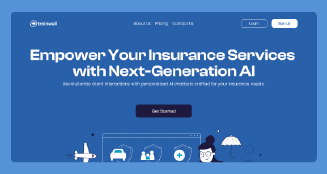
Insurance AI is built as a smart chatbot built by Biz4group to simplify how insurance agents are trained and supported, replacing repetitive training sessions with instant AI-driven assistance.
The goal was to reduce dependency on repeated live training sessions and manual documentation. The chatbot provides instant responses to agent queries, helping them access training information and operational guidance in real time. It also supports continuous updates through admin-managed content and handles multiple user interactions simultaneously.
Key Features at a Glance
Impact
Insurance AI reduced dependency on repeated training sessions, improved knowledge of accessibility for agents, and made onboarding and support significantly faster and more efficient.
Real estate workflows involve site updates, safety tracking, documentation, and coordination between field teams and management. This often leads to fragmented communication and manual reporting. To manage these tasks, real estate companies use AI automation to simplify communication, documentation, and transaction workflows.
How AI automation is being used:
Groundhogs was built as a custom internal platform to simplify how construction site activities, safety checks, and job progress are tracked in one centralized system.
The goal was to reduce manual reporting and improve coordination between on-site teams and administrators. The platform allows users to log into daily activities, track job progress, manage safety checklists, and upload required documentation.
Key Features at a Glance
Impact
Groundhogs helped bring all site-level operations into one system, making it easier to track work, improve safety compliance, and maintain real-time visibility across construction projects.
Legal services involve case tracking, document handling, communication, and scheduling across multiple stakeholders. This creates a lot of dependency on manual coordination and follow-ups. To smoothly deal with it, Legal organizations use AI automation to manage document-intensive processes more efficiently.
How AI automation is being used:
Judiciary platform for attorneys is built to simplify how active and pending legal cases are managed, tracked, and coordinated in one centralized system.
Key Features at a Glance
Impact
The platform improves efficiency in case management by reducing manual coordination, improving communication by making it centralized, structured, and real-time instead of scattered across emails and calls, and making legal workflows more organized and accessible for attorneys.
Education Systems involve continuous interaction between teachers, students, and administrative processes. This often results in unstructured communication and manual tracking of engagement. That's why educational institutions use AI automation to manage administrative and student-related workflows.
How AI automation is being used:
Classroom Sync is built as a classroom app that captures live lectures, transcribes discussions, and helps teachers understand student engagement in real time.
Key Features at a Glance
Impact
Classroom Sync helps make learning more transparent by giving teachers real-time visibility into student understanding while creating a more open and accessible classroom experience.
Travel and hospitality operations involve bookings, coordination, payments, and real-time updates across users and venues. This often leads to high manual effort in managing schedules and availability. Thus, Travel and hospitality businesses use AI automation to improve guest experience and operational coordination.
How AI automation is being used:
Hey Benson is an AI-driven event planning app that helps users create and manage social plans through simple conversation instead of manual coordination.
The goal was to remove the friction of group chats, back-and-forth messaging, and scattered planning tools by turning event creation into a smooth, AI-assisted flow.
Users can simply describe what they want to do, and the system understands the intent to create events with details like time, date, location, and participants.
Once an event is created, the platform automatically handles invitations, sends updates, and keeps everyone aligned through a dedicated event-based chat.
Key Features at a Glance
Impact
Hey Benson simplifies social planning by reducing coordination effort, automating invitations and updates, and making it easier for users to go from planning to actually meeting without friction.
As businesses continue to manage larger volumes of operational data and connected systems, AI-driven automation is becoming a core part of modern business operations. Instead of automating only individual tasks, companies are increasingly building connected workflows that improve speed, visibility, and operational coordination across the organization.
By now, we understand how AI driven business process automation software development eliminates the manual workflows wasting thousands of hours in businesses today. Now let’s understand how these systems actually function behind the scenes. To do that, it is important to explore the core technologies that power modern AI automation platforms.
From finance to healthcare, intelligent workflows are transforming everyday operations.
Talk to Our ExpertsBehind every AI-driven business process automation system is a combination of technologies working together behind the scenes.
Some technologies help extract and process information. Others automate repetitive actions, coordinate workflows across systems, or support operational decision-making in real time.
Instead of functioning as a single software layer, modern AI business process automation software development combine AI models, workflow orchestration systems, integrations, and data-processing infrastructure to manage complex business operations more efficiently.
The exact architecture may vary depending on the business use case, but most AI workflow automation software solutions are built around the following core components.
|
Component |
Role in AI-Driven Automation |
Where It Is Used |
|---|---|---|
|
Machine Learning Models |
Identifies patterns, improves predictions, detects anomalies, and supports workflow optimization |
Fraud detection, forecasting systems, recommendation engines, workflow optimization |
|
Natural Language Processing (NLP) |
Processes emails, documents, chats, and customer interactions for classification and automation |
Chatbots, customer support systems, document processing, ticket routing |
|
Generates summaries, responses, reports, and workflow content automatically |
AI assistants, enterprise copilots, automated reporting, content generation |
|
|
Workflow Orchestration Engines |
Coordinates workflows, APIs, systems, and automation steps across processes |
Enterprise workflow automation, approval systems, cross-system operations |
|
Robotic Process Automation (RPA) |
Automates repetitive rule-based tasks like data entry and system updates |
Back-office operations, finance processing, HR data entry, legacy systems |
|
Optical Character Recognition (OCR) |
Extracts text and structured data from documents, invoices, PDFs, and forms |
Invoice processing, document digitization, compliance systems |
|
Analyzes images, scanned documents, and video data for validation and inspection |
Quality control, identity verification, medical imaging, security systems |
|
|
AI Agents and Autonomous Systems |
Handles multi-step tasks and coordinates actions across systems with minimal human input |
Virtual assistants, automated workflows, enterprise task automation |
|
Decision Intelligence Systems |
Supports automated operational decision-making using workflow data and conditions |
Risk analysis, approvals, prioritization systems, operational planning |
|
API and System Integrations |
Connects CRMs, ERPs, databases, and enterprise platforms for workflow coordination |
Enterprise software integration, data syncing, cross-platform workflows |
|
Data Processing and Storage Infrastructure |
Stores, processes, and manages operational data across automation workflows |
Cloud systems, data lakes, analytics platforms, enterprise databases |
|
Monitoring and Analytics Systems |
Tracks workflow performance, system health, and automation efficiency |
System dashboards, performance tracking, operational monitoring tools |
Together, these technologies allow businesses to move beyond simple task automation.
But the real impact of AI business process automation software development comes from how businesses apply these systems to eliminate operational bottlenecks, improve workflow visibility, and streamline day-to-day business operations at scale.
Modern AI automation platforms go beyond basic task automation and help businesses run complete workflows more smoothly across teams and systems.
While each platform may differ based on needs, most of them comes with a set of core features that support how work actually moves through an organization.
Here are some of the core features along with a brief explanation of what each one does.
|
Core Feature |
What It Does |
|---|---|
|
Workflow Builder |
Let's you visually design and configure workflows without heavy coding, making it easy to map real business processes |
|
Automation Engine |
Executes workflows automatically based on triggers, conditions, or events across systems |
|
Task Routing |
Sends tasks to the right person, team, or system based on rules like priority, role, or workload |
|
Approval Management |
Automates multi-step approval flows so requests move forward without constant manual follow-ups |
|
AI Decision Support |
Uses data and context to suggest or trigger the next best step in a workflow |
|
Document Processing |
Extracts and structures information from invoices, PDFs, forms, and other business documents |
|
Integrations Hub |
Connects CRMs, ERPs, databases, and other enterprise tools into a single automated flow |
|
Real-Time Monitoring |
Gives live visibility into workflow status, progress, and system activity |
|
Alerts and Notifications |
Sends automatic updates, reminders, and escalation messages when action is needed |
|
Role-Based Access |
Controls who can view, edit, approve, or manage specific workflows |
|
Audit Logs |
Records every action for tracking, compliance, and operational transparency |
|
Analytics Dashboard |
Shows workflow performance, delays, bottlenecks, and overall efficiency insights |
Together, these features act as the core layer that powers modern AI business process automation software development.
But this space is moving quickly. Today’s platforms are starting to go beyond fixed workflows and are becoming more flexible, responsive, and intelligent in how they handle business operations.
Now, let’s explore the advanced capabilities, making AI business process automation software development significantly more intelligent and business aware.
What Advanced Capabilities Make Modern AI Workflow Automation More Intelligent?
AI-driven automation has moved well beyond fixed workflows and rule-based execution. The newer shift is toward building custom AI business process automation software systems that can adapt in real time, coordinate across tools, and take more independent action based on context and outcomes.
Below are some of the more recent advancements shaping how modern automation platforms are evolving.
|
Advanced Capability |
How It Is Evolving Business Automation |
|---|---|
|
AI business process automation software is shifting toward AI agents that can plan and execute multi-step workflows with limited supervision |
|
|
Self-Improving Automation Loops |
Systems are starting to refine workflows automatically by learning from past execution results |
|
LLM-Driven Workflow Orchestration |
Large language models are being used to dynamically build and adjust workflows from natural instructions |
|
Cross-System Autonomous Coordination |
Workflows can now trigger and manage actions across multiple enterprise tools without rigid rule mapping |
|
Real-Time Context Injection |
Automation pulls live context from business data, messages, and documents to guide decisions during execution |
|
Systems can now anticipate delays, failures, or workload spikes and adjust workflows before issues occur |
|
|
Human-in-the-Loop Escalation Logic |
Instead of fixed approvals, systems decide when human input is needed based on risk or uncertainty |
|
Event-Driven Automation Layers |
Workflows are triggered and adjusted in real time based on business events instead of static schedules |
|
Multi-Agent Workflow Collaboration |
https://www.biz4group.com/ui-ux-design-company collaborate within a process, each handling roles like analysis, execution, or validation |
|
Embedded Decision Intelligence |
Decision-making is built directly into workflows, allowing systems to evaluate options and choose actions dynamically |
|
Autonomous Exception Handling |
Systems can now resolve issues or reroute workflows instead of stopping when errors occur |
|
Dynamic Workflow Recomposition |
Workflow structures adjust automatically based on performance, workload, or changing conditions |
These advancements point to a clear shift in how automation is being designed. Instead of static workflows that simply execute predefined steps, modern systems are starting to behave more like adaptive operational layers that respond to context, learn from outcomes, and coordinate work across the business more intelligently.
Let’s explore why companies continue to struggle with complex workflow automation even after investing heavily in modern automation technologies.
Build AI systems that can adapt, optimize workflows, and support real-time decisions.
Contact Biz4GroupBuilding AI-driven automation software is about designing a system that can execute workflows, connect with enterprise tools, and add intelligence where needed. The development process typically follows structured stages from planning to deployment and continuous improvement.
Here’s a simple breakdown of how it is built.
This is where you clearly identify what business processes need to be automated and how they currently function. It helps set boundaries for what the system will and will not handle.
What to keep in mind:
This step defines how different parts of the system will work together as a whole. It ensures the platform is scalable, modular, and easy to extend as business needs grow. UI/UX planning is also included here to ensure workflows are easy to understand and interact with.
What to keep in mind:
This is the core engine that actually runs the workflow. It controls how tasks move from one stage to another based on rules, conditions, and triggers, and forms the foundation for MVP development of the system.
What to keep in mind:
This layer connects the automation system with external business tools. It ensures smooth data exchange between CRMs, ERPs, databases, and other enterprise platforms.
What to keep in mind:
This is where intelligence is introduced into workflows. AI helps interpret data, understand context, and improve decision-making within processes.
What to keep in mind:
This layer manages all workflow-related data including inputs, outputs, logs, and historical records. It ensures data is consistent, secure, and easily accessible across the system.
What to keep in mind:
This is the user-facing interface where workflows are created and managed. It allows users to design processes visually without needing deep technical knowledge.
What to keep in mind:
This tracks workflows in real time while they are running. It helps teams understand system performance, detect issues early, and maintain operational visibility.
What to keep in mind:
This ensures workflows continue running smoothly even when errors or exceptions occur. It allows the system to recover automatically or escalate issues when needed.
What to keep in mind:
This step ensures the system is secure and only authorized users can access specific workflows or data. It is critical for enterprise-grade automation systems.
What to keep in mind:
Before deployment, workflows and system components are tested across multiple scenarios. This helps identify bugs, integration issues, and performance bottlenecks early.
What to keep in mind:
This is where the system is launched into production and made available for real business use. The infrastructure is designed to handle increasing users, workflows, and data over time.
What to keep in mind:
After deployment, the system is continuously monitored and improved based on real usage. Workflows are refined to improve speed, accuracy, and efficiency over time.
What to keep in mind:
Building AI-driven automation software is about combining workflow design, system architecture, AI intelligence, integrations, and user experience into one connected and scalable platform that evolves with business needs.
Further, we will explore the technology stack powering modern AI-driven workflow automation systems and the infrastructure behind intelligent business operations.
Behind every AI-driven automation platform, there is a layered tech stack working together to run workflows, connect systems, and support intelligent decision-making. Instead of relying on one type of technology, these platforms combine multiple layers that each handle a specific part of the automation process.
Here’s a simple breakdown of the key technology layers and what they do.
|
Technology Layer |
Stack Behind It |
Role in Automation |
|---|---|---|
|
Front-End Layer |
React, Angular, Vue.js, Next.js |
Next.js provides the front-end framework for building user interfaces like workflow dashboards, design tools, and monitoring screens in AI automation systems. |
|
Back-End Layer |
Python, Node.js, Java, .NET, Go |
Python powers the backend logic, handling APIs, AI processing, and workflow execution services in automation platforms. |
|
AI & Intelligence Layer |
TensorFlow, PyTorch, Scikit-learn, Hugging Face, GPT-style LLMs |
Powers decision support, prediction, language understanding, and intelligent workflow behavior |
|
Workflow Orchestration Layer |
Apache Airflow, Camunda, Temporal |
Manages workflow execution, task sequencing, and coordination across multi-step processes |
|
Integration Layer |
REST APIs, GraphQL, middleware platforms |
Connects external systems like CRMs, ERPs, and enterprise applications into workflows |
|
Automation Layer |
UiPath, Automation Anywhere, Blue Prism |
Handles repetitive system-level tasks and process automation across applications |
|
Data Layer |
PostgreSQL, MongoDB, Snowflake, vector databases |
Stores workflow data, operational records, and contextual information needed for execution |
|
Infrastructure Layer |
AWS, Azure, Google Cloud |
Provides scalable hosting, compute power, and runtime environment for automation systems |
|
Document Processing Layer |
OCR tools, AWS Textract, Google Vision APIs |
Extracts and structures data from documents like invoices, forms, and contracts |
|
Monitoring Layer |
Prometheus, Grafana, Datadog |
Tracks system health, workflow performance, and operational bottlenecks |
|
Security Layer |
OAuth, JWT, encryption tools, IAM systems |
Secures workflows, manages access control, and protects enterprise data |
Briefly, AI-driven automation systems are not powered by a single technology, but by multiple coordinated layers working together. Each layer plays a specific role, from intelligence and workflow execution to integration, security, and scaling, making the overall system stable and production ready.
Let’s explore the key factors that influence the cost of AI-driven process automation development and why some automation projects become far more complex than businesses initially expect.
The right architecture determines how scalable and reliable your automation system becomes.
Discuss Your ProjectThe cost of AI-driven business process automation software depends on several factors, including workflow complexity, the number of integrations, AI capabilities, infrastructure requirements, security needs, and operational scale and it typically ranges from $40K to $400K+.
A simple workflow automation system costs significantly less than an enterprise-grade AI platform for managing complex cross-functional operations.
Here’s a realistic breakdown of how AI automation development costs typically scale across different project levels.
|
Feature / Module |
Estimated Cost Range (USD) |
Notes |
|---|---|---|
|
Basic Automation Systems ($40,000 - $80,000) |
||
|
Workflow Development |
$25,000 - $50,000 |
Simple rule-based workflow automation |
|
Integrations |
$5,000 - $15,000 |
Limited integrations with business systems |
|
Infrastructure Setup |
$5,000 - $10,000 |
Basic cloud hosting and database setup |
|
Testing & Deployment |
$5,000 - $10,000 |
QA, deployment, and workflow validation |
|
Mid-Level AI Automation Platforms ($80,000 - $200,000) |
||
|
Workflow Engineering |
$50,000 - $120,000 |
Multi-step operational workflows |
|
AI Capabilities |
$15,000 - $40,000 |
NLP, document processing, workflow intelligence |
|
System Integrations |
$10,000 - $30,000 |
CRM, ERP, support systems, APIs |
|
Infrastructure & Scaling |
$10,000 - $25,000 |
Scalable cloud infrastructure |
|
Testing & Optimization |
$10,000 - $20,000 |
Workflow tuning and operational optimization |
|
Enterprise-Grade AI Automation Systems ($200,000 - $400,000+) |
||
|
Platform Engineering |
$120,000 - $250,000 |
Enterprise workflow architecture |
|
Advanced AI Systems |
$40,000 - $100,000+ |
AI agents and advanced decision systems |
|
Enterprise Integrations |
$30,000 - $80,000 |
Complex cross-platform integrations |
|
Infrastructure & Scaling |
$20,000 - $60,000 |
High-volume cloud operations |
|
Security & Compliance |
$20,000 - $50,000 |
Governance, compliance, enterprise testing |
The biggest cost driver in AI automation projects is usually not the AI itself. There are multiple factors that affect the cost of AI driven process automation system development.
Furthermore, we will discover the factors that affects the cost of AI business automation platform development.
The cost of building AI-driven automation software depends on several practical factors related to how the system is designed, built, and scaled.
Key cost factors include:
The more complex, connected, and intelligent the system needs to be, the higher the development effort and overall cost.
Even after the initial build is complete, AI business process automation software development come with ongoing costs that keep the platform running smoothly and securely over time.
Factors Affecting the Cost
Costs increase as more workflows run in the system, since cloud resources scale with usage and data processing needs.
Systems using LLMs, external AI services, or AI model development incur continuous usage-based charges depending on request volume and training or inference requirements.
Regular updates are needed to fix issues, improve performance, and keep workflows stable as business needs to evolve.
Ongoing tracking of system health and workflow efficiency requires tools and effort to ensure everything runs smoothly.
Security patches and regulatory updates are necessary to protect data and meet enterprise compliance standards.
Adding new workflows or connecting additional tools increases development and integration effort over time.
These ongoing expenses typically add around 15%–35% of the original development cost every year, depending on system scale and usage.
But there are ways that can help a business optimize the cost of AI driven operational automation software development. Let's explore
Building AI-driven automation systems can get expensive quickly if everything is custom-built from the start. The smarter approach is to control cost through clear prioritization and efficient engineering decisions.
Here are practical ways to keep development cost in check.
The main idea is simple: keep the system lean in the beginning by building MVP, building what’s needed, and scale it based on real usage instead of assumptions.
Even after investing in modern automation tools and enterprise AI technologies, businesses often face major challenges when trying to automate complex real-world workflows at scale.
The right strategy can reduce operational overhead while improving scalability long term.
Request a ConsultationEven with advanced automation tools in place, many businesses still struggle to achieve fully connected and efficient workflows. The issue is usually not the technology itself, but how real-world operations, systems, and processes interact behind the scenes.
Here are the most common challenges, why they happen, and how they are typically solved.
Why it happens:
Most businesses automate individual tasks instead of connecting entire end-to-end workflows. As a result, systems still operate in isolation.
How to solve it:
Focus on connecting workflows across departments instead of automating standalone steps. The goal should be unified process flow, not isolated automation.
Why it happens:
Workflows often involve hidden dependencies like approvals, exceptions, policies, and cross-department coordination that are not visible at the start.
How to solve it:
Start with detailed workflow mapping and operational analysis before building automation. Identify all hidden steps early.
Why it happens:
Most systems are designed based on structured, predictable workflows, but real business data is often inconsistent and incomplete.
How to solve it:
Design automation systems to handle variability, exceptions, and real-world data rather than ideal conditions.
Why it happens:
As workflows grow, rule-based logic becomes too complex and fragile, especially when processes frequently change.
How to solve it:
Combine automation rules with adaptive AI-based systems that can adjust to changing workflow conditions.
Why it happens:
Automation speeds up whatever process exists, even if the process itself is poorly designed.
How to solve it:
Simplify and optimize workflows before automation. Process design should come first, automation second.
Why it happens:
Many workflows still require human judgment for approvals, exceptions, compliance, and accountability.
How to solve it:
Use hybrid automation models that combine AI execution with human-in-the-loop approvals and escalation paths.
Why it happens:
Businesses operate across multiple disconnected systems with inconsistent or low-quality data.
How to solve it:
Build strong integration architecture and ensure clean, standardized data flow across systems before scaling automation.
Why it happens:
Automation systems handle sensitive business and customer data, which must comply with security and regulatory requirements.
How to solve it:
Integrate security controls, access management, audit logs, and compliance rules directly into automation workflows from the start.
Not all automation challenges are caused by a lack of AI capability, but by process complexity, system fragmentation, and operational gaps. When businesses address these foundational issues first, AI powered business process automation development becomes significantly more reliable and scalable.
Automation fails when disconnected systems and unclear workflows are ignored.
Get Automation GuidanceSuccessful AI-driven business process automation is not just about using AI tools, but about building systems that actually fit real business workflows and scale with operations over time.
Many automation efforts fail because they are built in isolation and don’t align with how teams, systems, and approvals actually work across an organization.
Biz4Group, a leading AI automation company in USA, focuses on building practical AI workflow automation systems that connect processes, reduce manual coordination, and integrate smoothly with existing enterprise platforms.
These are some of the many examples of AI-driven operational automation software development by Biz4group such as, Stratum 9 InnerView (AI hiring automation), Insurance AI (training chatbot), AMxTD (aircraft maintenance tracking) and Groundhogs (construction operations).
These solutions show how AI automation can be applied across industries like HR, finance, insurance, aviation, education, and logistics to solve real operational challenges.
Businesses choose Biz4Group for expertise in:
With experience across multiple enterprise environments, Biz4Group builds automation systems that are scalable, secure, and designed for long-term operational efficiency.
The focus is always on creating connected workflows that reduce manual effort and improve how businesses operate across teams and systems.
Biz4Group helps businesses build scalable automation systems designed for real operational workflows.
Contact Biz4GroupAI driven process automation system development is no longer just about reducing repetitive work.
Businesses are now using intelligent automation to streamline workflows, improve operational efficiency, reduce delays, and build more scalable operations across teams, departments, and enterprise systems. In this blog, we have answered why most businesses are still manually processing workflows that AI automation software development could eliminate today and what to do about it.
Now we know successful AI workflow automation software development requires far more than simply adopting AI tools.
It depends on understanding how real business workflows operate, identifying operational bottlenecks, integrating disconnected systems effectively, and building automation strategies that can evolve as business needs grow over time.
As enterprise operations become increasingly complex and data-driven, organizations investing early in AI powered business process automation development will be better positioned to move faster, improve workflow visibility, reduce manual dependencies, and scale operations more efficiently.
And because intelligent automation impacts workflows across systems, teams, approvals, and operational processes, businesses often need experienced technology partners who understand both AI capabilities and enterprise workflow complexity.
For organizations exploring intelligent business process automation development, Biz4Group helps businesses transition from fragmented manual operations to connected, scalable, and intelligent automation systems designed for long-term operational growth.
If you’re looking to streamline operations with AI-driven automation, connect with us and we’ll help you design and build a solution tailored to your business needs.
AI business process automation software development uses artificial intelligence to automate workflows, approvals, document handling, and repetitive operational tasks across business systems. Instead of relying only on fixed rules, these systems can understand data, respond to changing inputs, and support smarter workflow execution.
Businesses are using AI to automate everything from invoice processing and customer support to employee onboarding, approval workflows, document management, procurement operations, and CRM updates. Any workflow involving repetitive coordination or manual data handling can usually benefit from AI business process automation software development.
The cost typically ranges from $40,000 to $400,000+, depending on workflow complexity, integrations, AI capabilities, and scalability requirements.
Yes. Modern AI automation platforms are designed to integrate with CRMs, ERPs, cloud applications, databases, communication tools, and internal enterprise systems through APIs and workflow integrations.
Absolutely. While AI can automate large parts of operational workflows, businesses still need human involvement for approvals, compliance reviews, exception handling, policy enforcement, and sensitive decision-making processes.
Industries like healthcare, finance, insurance, retail, logistics, manufacturing, legal services, HR, and customer support benefit heavily from AI business process automation software development because they manage large volumes of workflows, approvals, operational data, and repetitive tasks every day.
Biz4Group helps businesses design and develop scalable AI business process automation software development solutions tailored to real operational workflows. From enterprise workflow automation and AI agent development to intelligent document processing and system integrations, the focus is on building automation systems that are practical, scalable, and aligned with long-term business operations.
Implementation timelines vary based on scope, but most systems are rolled out in phases, starting with a few key workflows before expanding across departments. This approach helps reduce disruption and ensures smoother adoption.
The most common challenges include unclear workflow mapping, poor data quality, disconnected systems, and resistance to process change within teams. These issues often impact success more than technology itself.
Yes, these systems need regular updates to workflows, integrations, and models to stay aligned with changing business processes, system upgrades, and operational requirements.

with Biz4Group today!
Our website require some cookies to function properly. Read our privacy policy to know more.